


Hey everyone!
This is a big one… Time to take mapmaking in Foundry to another level !
This update moves FA Nexus onto the current Foundry version (v14), with compatibility work across Asset Placement, Tokens, Layer Manager, Paths, Texture Painting, Buildings, flatten/deconstruct workflows, scene transitions, detached windows, and level-aware tile ordering.
On top of the v14 transition, this release adds Tile Masking, Texture Blend Modes, Shadow Only mode, composite building output, deeper level-aware Layer Manager controls, improved flatten/export options, token eye-level controls, and a broad rendering/stability pass.
Foundry v14 support
FA Nexus now targets Foundry VTT v14.
This touches a lot of systems under the hood, but the goal is simple: FA Nexus tools should understand the v14 scene levels, keep tile ordering predictable, preserve important v14 tile data, and behave consistently when working with Levels-style scenes.
That said, the levels system is very complex , so I would be surprised if I didnt miss something, so please let us know if you find something odd!
Due to how vast and complex the scene rendering changes are in v14, this update is NOT backwards compatible with Foundry v13.
Tile Masking
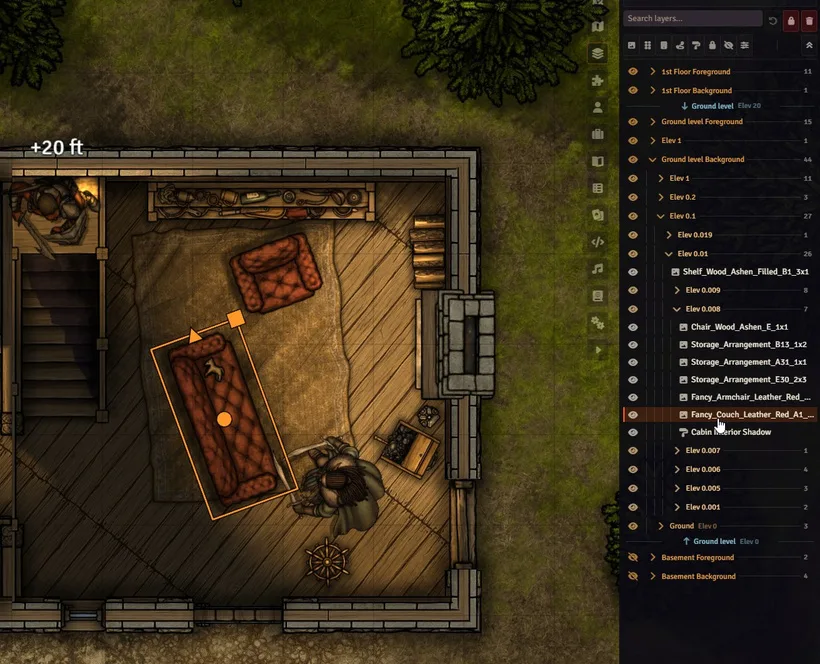
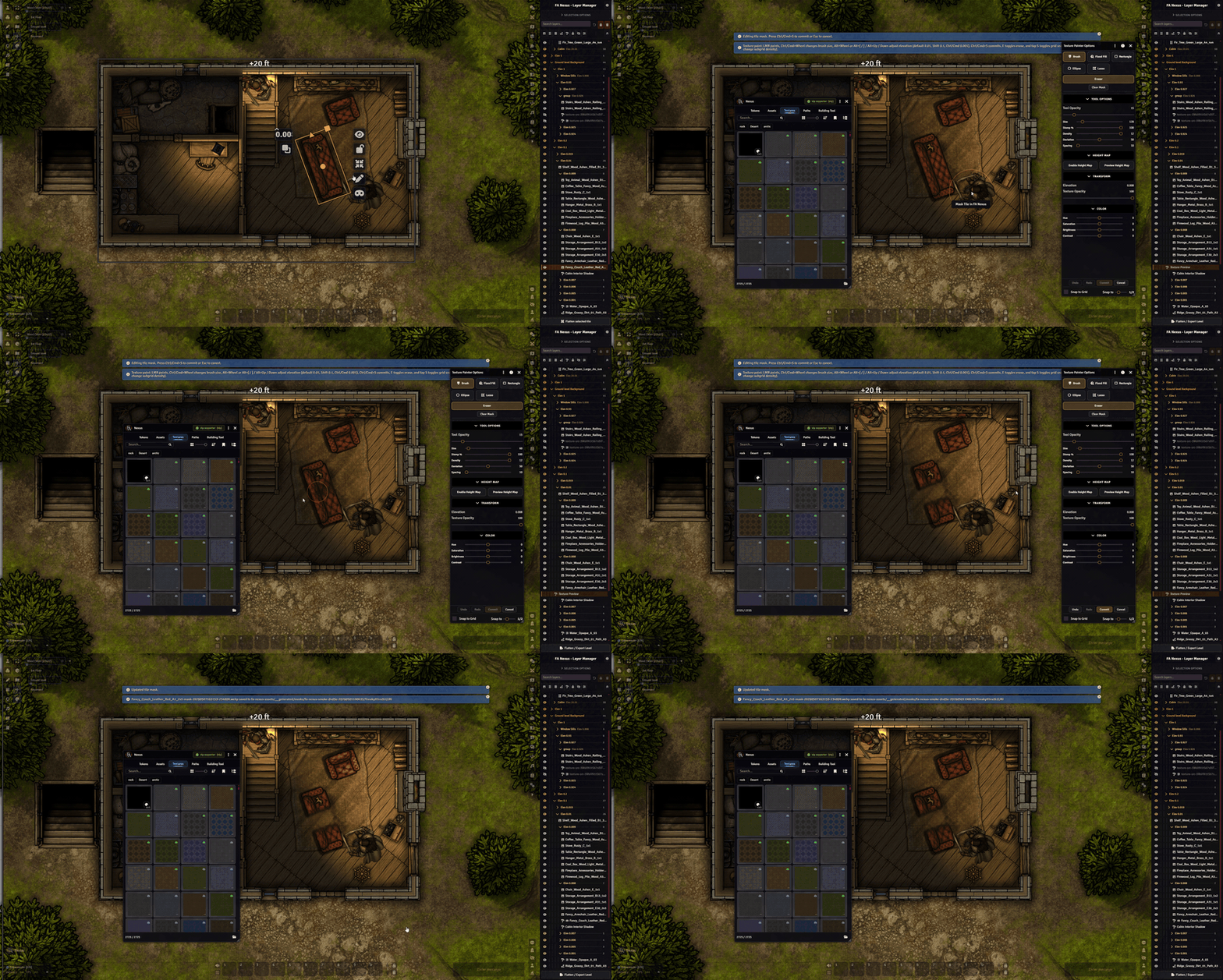
All tiles can now be masked with FA Nexus.
Previously, masking was only tied to Texture Painting. In v0.5 any and all tiles can also masked, removeing parts of the image of a tile.
Texture Painting blend modes
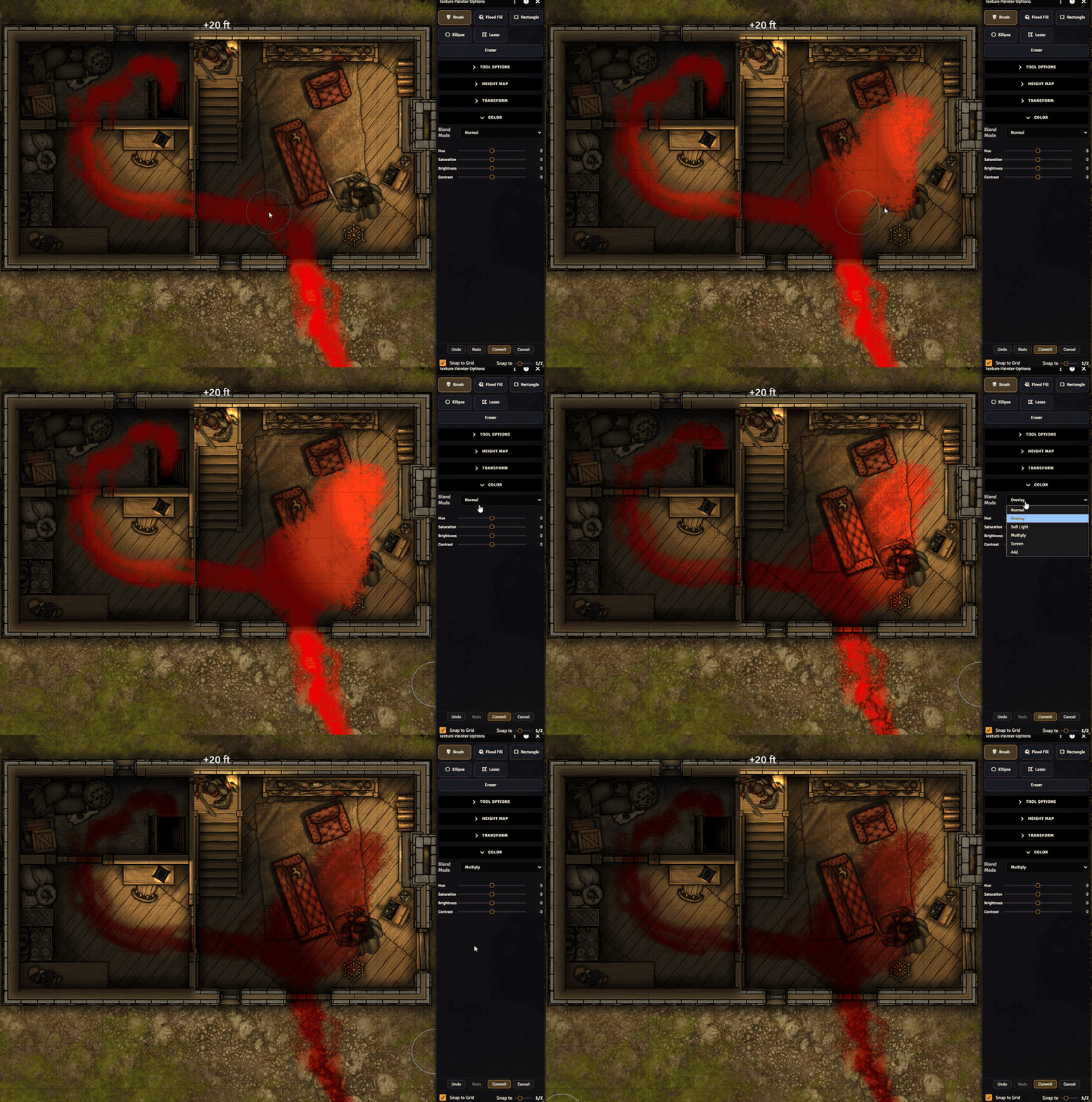
Texture Painting now supports blend modes for painted texture layers: Normal, Overlay, Soft Light, Multiply, Screen, and Add.
This unlocks a lot of new visual possibilities directly inside Foundry. You can blend dirt, moss, water, scorch marks, highlights, color passes, and other texture work into the scene underneath instead of only placing them as normal opaque texture layers.
Overlay and Soft Light are especially useful for subtle scene integration, Multiply works well for grime and shadowing, Screen can brighten or haze an area, and Add can push stronger light or magical effects.
Blood for the blood god anyone?
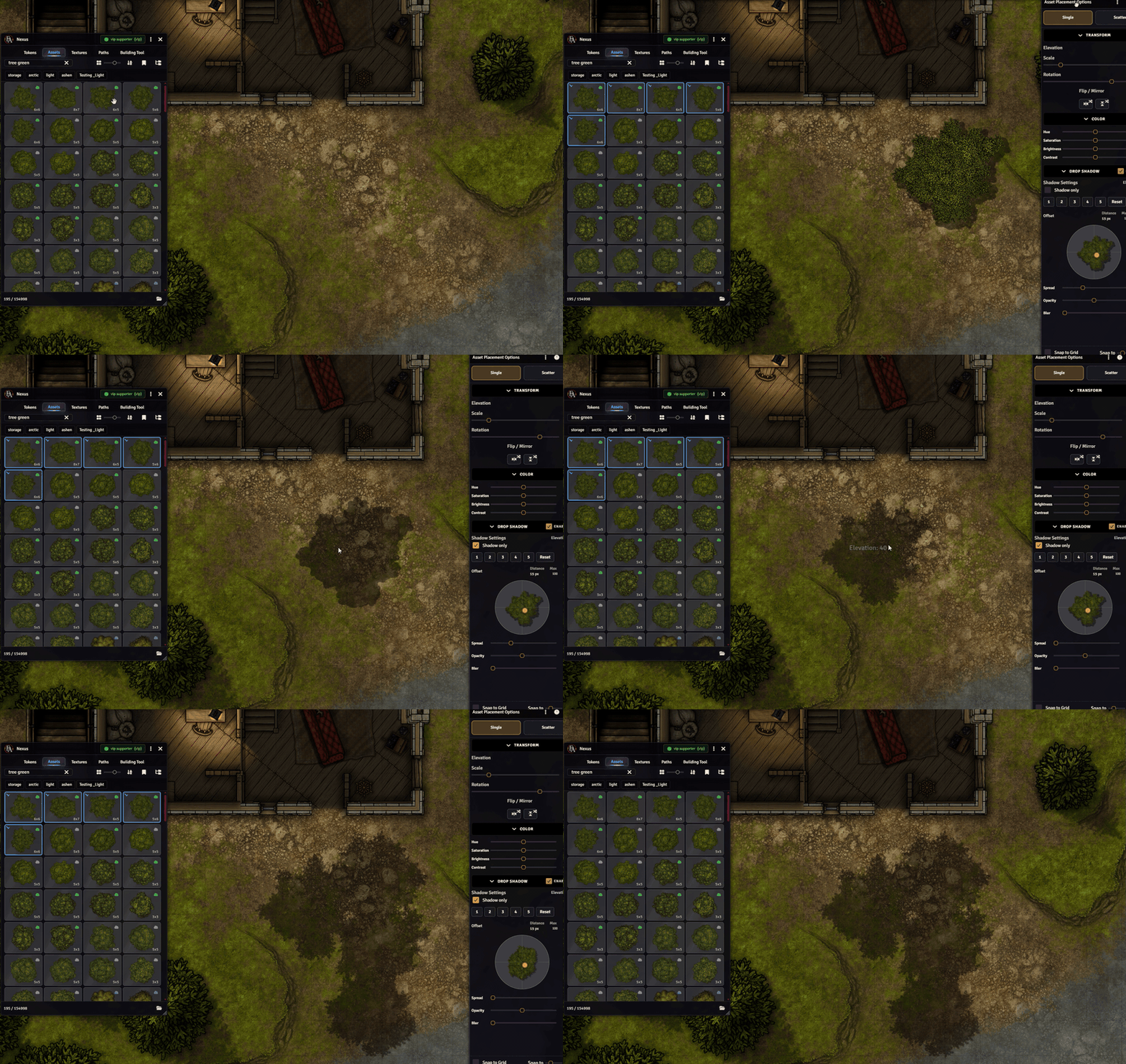
Shadow Only mode
Drop Shadow controls now include a `Shadow Only` option.
This lets you keep the generated FA shadow while hiding the source artwork, which is useful for adding grounded contact shadows, subtle depth, or hand-placed shadow passes without keeping the original asset visible.
Shadow-only tiles are marked in Layer Manager so they are easier to find after placement (you can also search for ‘shadow’).
Composite Building Tiles & Regions
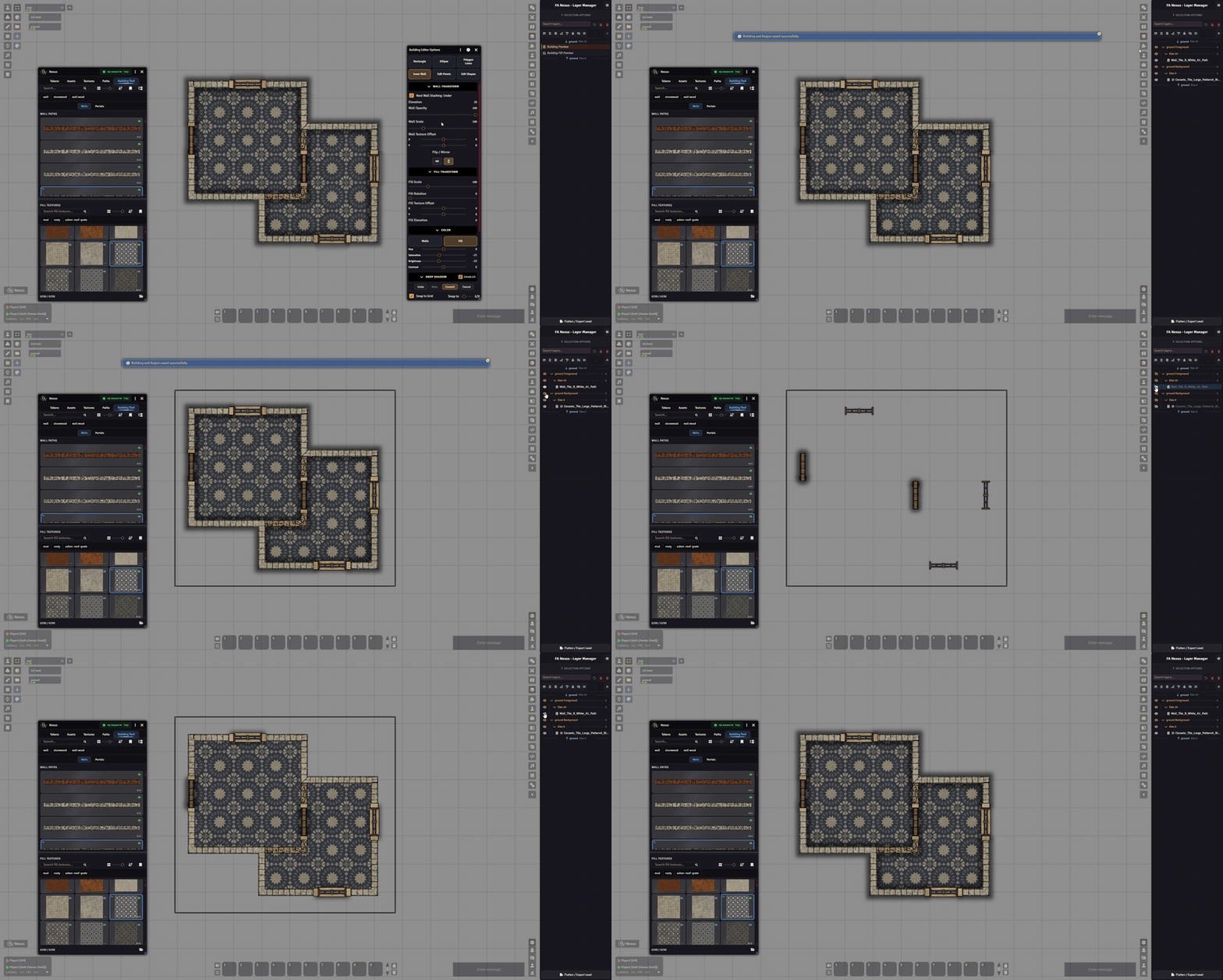
Building commits now produce just 2 composite tiles instead of each element being it’s own tile.
Outer & Inner Walls, portal frames and static windows are combined into one ‘foreground’ tile while Fill, and window sills are combined into one ‘background’ tile.
The main practical result: committed buildings should be easier to manage on canvas and in the layer manager.
Each building now also automatically creates a ‘Region’ with some predefined behaviours (Define Surface & Suppress Weather)
Level-aware Layer Manager, placement, and editing
Layer Manager has been updated for v14 level-aware workflows.
Each level now shows dedicated `<level> Background` and `<level> Foreground` groups for the special ground/foreground bands.
Active Asset Placement, Scatter, Path tool, Texture Painting and Building tool display ‘Preview’ Layers – these can be drag&dropped within layer manager to adjust elevation/order/sort before commit.
There is also a new `Parent Level` setting for tiles visible on multiple levels. Parent Level tells FA Nexus which v14 level owns that tile, so Layer Manager grouping, ground/foreground band sorting, flatten/deconstruct behavior, and tile editing all target the intended level. Tiles that only belong to one level can usually leave this on `Auto / Unset`. This setting is auto-populated based on level on which the tile was placed.
FA Nexus also blocks level switching while an Asset, Path, Texture, or Building session is active, so previews and commits do not accidentally drift to a different level mid-session.
Flattening + Scene Export improvements
Flatten and scene export can now target the current viewed level or all scene levels.
Outputs can also be split into level background, middle, and foreground images/tiles, with options for where middle elevations should land.
Flattened tiles now track level membership more safely, so deconstructing flattened output restores content to the intended level.
Tokens and eye level controls
Token placement now targets the currently viewed scene level and uses that level’s bottom elevation for placed tokens.
Token placement and prototype updates also set v14 Size Z/depth from the token footprint, so large, huge, and gargantuan tokens get matching vertical size by default.
There is also a new FA Nexus `Eye Level Height` field in Token Config vision settings, plus a module setting that overwrites default eye level calculation to be ‘higher’. This helps avoid default midpoint eye-level cases where tokens at different elevations cannot see each other as expected.
Actor type mappings were also updated for Call of Cthulhu 7th Edition, Cyberpunk RED, Alien RPG, Forbidden Lands, Starfinder, World of Darkness 5th Edition/VTM5e, and Daggerheart.
Additional Improvements/changes
-
Asset, Token, Texture, Path, and Building tool grids now include a persistent `Newest` / `Category` sort toggle
-
The Solid Color texture stays pinned at the top of texture grids regardless of sort mode
-
Tile Config now has an FA Nexus tab for Parent Level, HSBC, mask clearing, and shadow settings
-
Door/window portal previews now show the selected portal, or the default portal when no specific portal is selected
-
Portal texture pickers now use the shared Nexus grid with search, hover previews, better sizing, better performance and clearer portal labels
-
Animated door/window portal visuals and shadows now stay in sync on visible non-current levels (by default, this is not handled by Foundry, and portal textures from other levels are not visible from the currently selected level)
-
All editable paths within a session now show clearer control points and throughline in Edit Shapes mode – This line is also hiden while moving a control point so you can see the path you are editing better.
-
Changing the Solid Color texture swatch now updates the active Texture Painting session immediately
-
Drop-shadow rendering now chunks large shadow layers improving stability and performance on heavier scenes
Fixes (notable)
v0.5 also includes a broad set of fixes, a few key ones:
-
Launching Texture Painting or Paths from an asset card now visibly selects the active card in the grid
-
Building edit cleanup more reliably removes linked generated walls/fills/tiles without leaving orphaned tiles or duplicate delete noise
-
Commiting masked texture now renders correctly immediatelly after placement without need of a canvas refresh for players looking at the placement spot
-
Selecting, toggling visibility, and locking multiple tiles in Layer Manager is much more performant (srsly… a LOT more performant)
Feedback
v0.5 is a major Foundry v14 transition release, so please keep in mind that FA Nexus is still in Beta. This update touches a lot of workflows, especially level-aware scenes, tiles, masks, building output, and rendering order.
As usual, please let us know here, on Discord, or preferably through Github Issues if anything behaves oddly or you have workflow/improvement/feature requests.
There are more changes in this update than highlighted in this post.
Full more detailed changelog can be found here:
https://github.com/Forgotten-Adventures/FA-Nexus/blob/main/CHANGELOG.md
Hope yall enjoy the new update and have some fun with mapmaking!
You can update the module through Foundry directly, or install it if you dont have it yet, just search for `FA Nexus` in the module directory.