


Hey everyone!
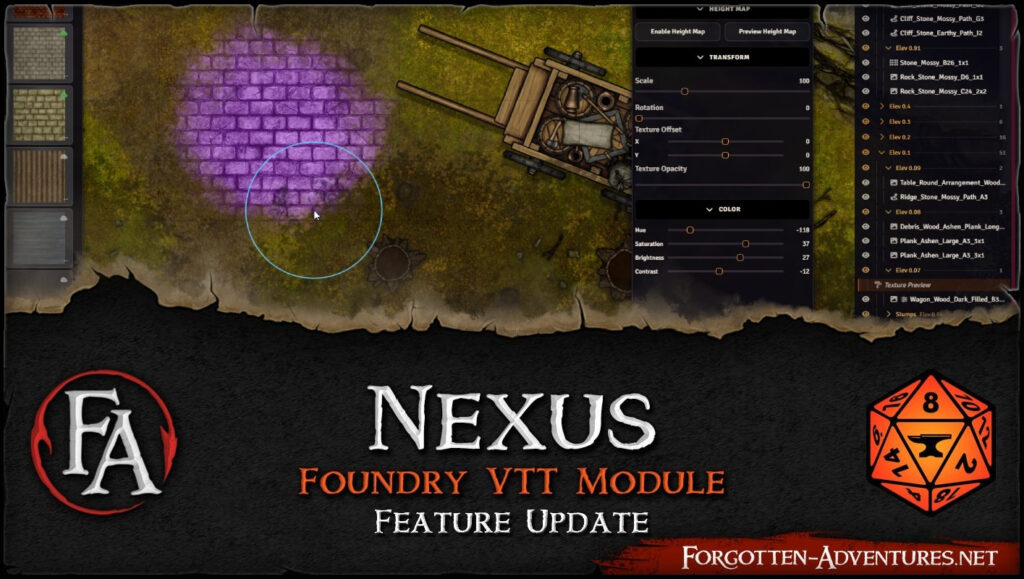
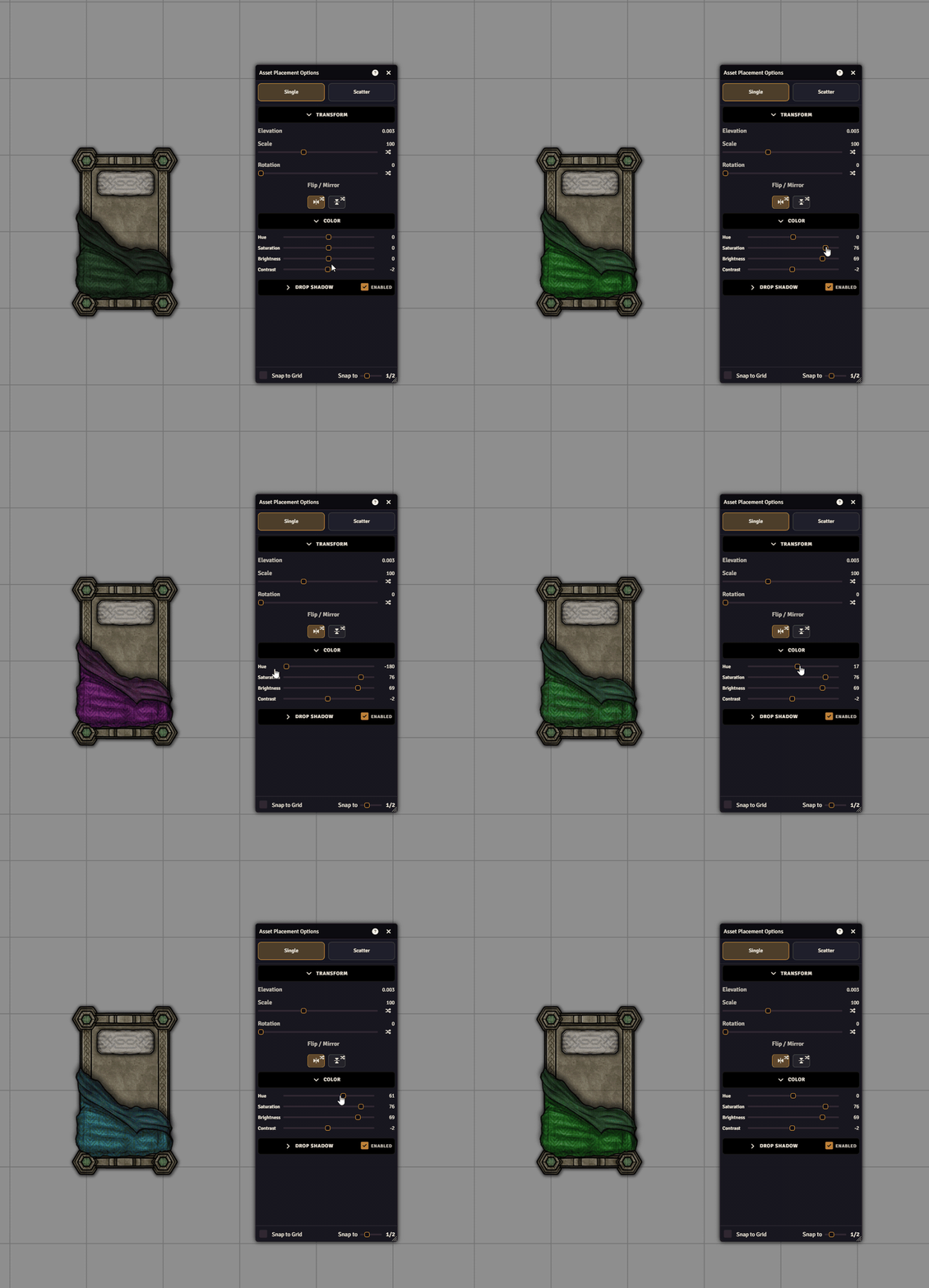
v0.4 is here, and the headline feature is full recoloring across FA Nexus mapmaking tools – Assets, Paths, Texture Painting, and Buildings now support Hue, Saturation, Brightness, and Contrast controls. This is a major visual upgrade that lets you dramatically shift mood, match palettes, and unify scene style directly in-editor without external image edits.
On top of that, v0.4 brings a major Layer Manager expansion, a redesigned Tool Options panel, flatten/export workflow upgrades, and a large stability/performance pass.
Full recoloring pipeline (Assets, Paths, Textures, Buildings)
You can now recolor content with Hue / Saturation / Brightness / Contrast controls across all major mapmaking tools.
This gives much more flexibility for blending assets into scene mood without leaving Foundry.
Layer Manager v2 (major expansion)
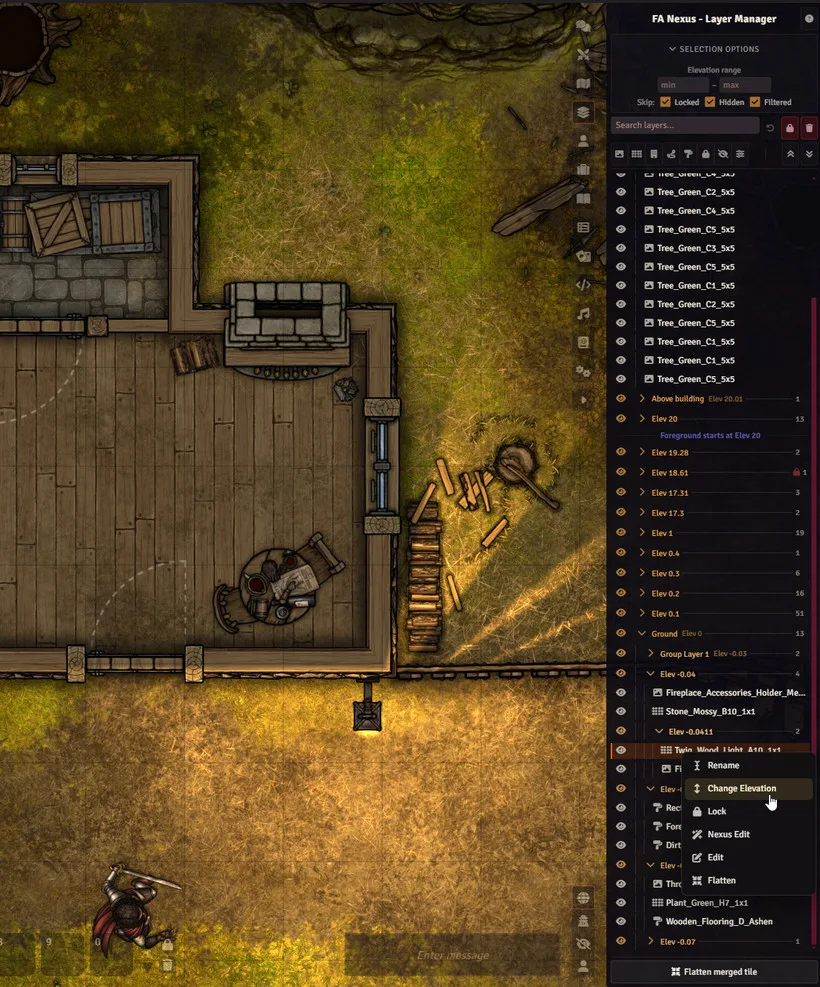
Layer Manager gets a substantial upgrade in organization and control:
-
Elevation groups are now collapsible and nested
-
Name/Rename layers and elevation groups
-
Search bar (OR, NOT, and -term support)
-
Layer type/attribute chip filters
-
‘Skip Filtered’ canvas selection mode (default on)
-
Drag-and-drop layer reordering
-
Layer/group context menus (rename, elevation change, lock/unlock, flatten, Foundry Edit, Nexus Edit)
Tool Options Panel redesign
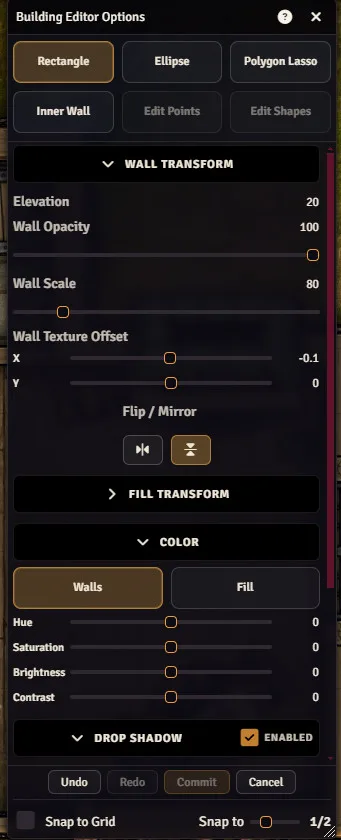
The options UI has been reworked for speed and clarity:
-
Collapsible sections with remembered open/closed state per tool
-
New contextual help button/window for active tool [F1] or ‘?’ button in the header (summary, sections, notes, shortcuts)
-
Shortcuts for editors have also been adjusted/normalized – Notably ‘S’ now switches snap to grid ‘S’ + Scrollwheel adjust the ‘snap to’ density. Commit was moved to ‘Ctrl + S’.
-
Shared session controls moved into a denser footer layout
-
Cleaner sliders/toggles/inputs/tooltips with improved hover/focus behavior
-
Randomization controls now use explicit Min/Max ranges
-
Portal options rebuilt to match grouped/collapsible panel style
Flattening + Scene Export improvements
Flatten/export workflows now support:
-
Custom output name + folder picker in dialogs
-
Separate remembered folders for flatten vs export
-
Sanitized .webp filenames with deterministic suffixes for split outputs
-
Predictable generated output structure under scene/world paths
-
Preserved nested flattened metadata on deconstruct
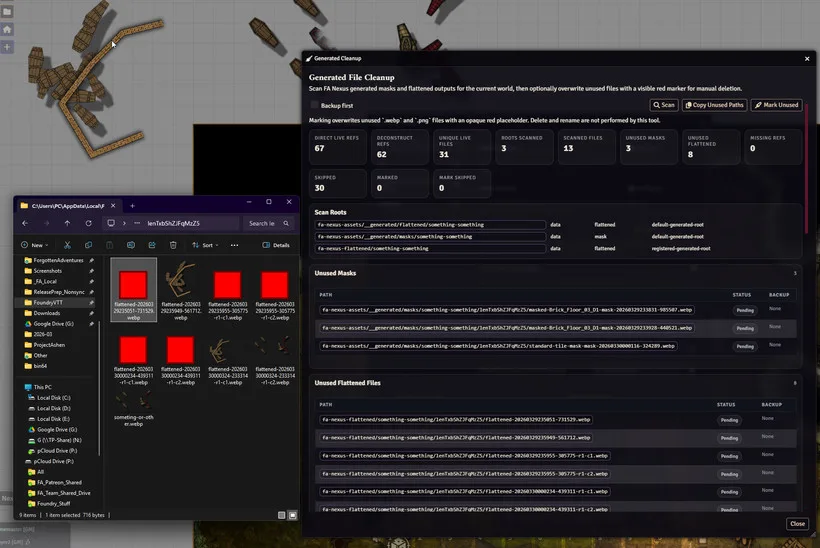
Generated Cleanup tool
New module setting tool to scan generated Masks and Flattened files:
-
Reports missing/unused generated files
-
Optional backup + mark-for-manual-cleanup flow
(Foundry blocks automatic deletion, so final cleanup remains manual)
*Tool only works for newely created files as its build on the new file structure where flattened and mask files are saved under scene/world paths.
Overhead proxy pipeline
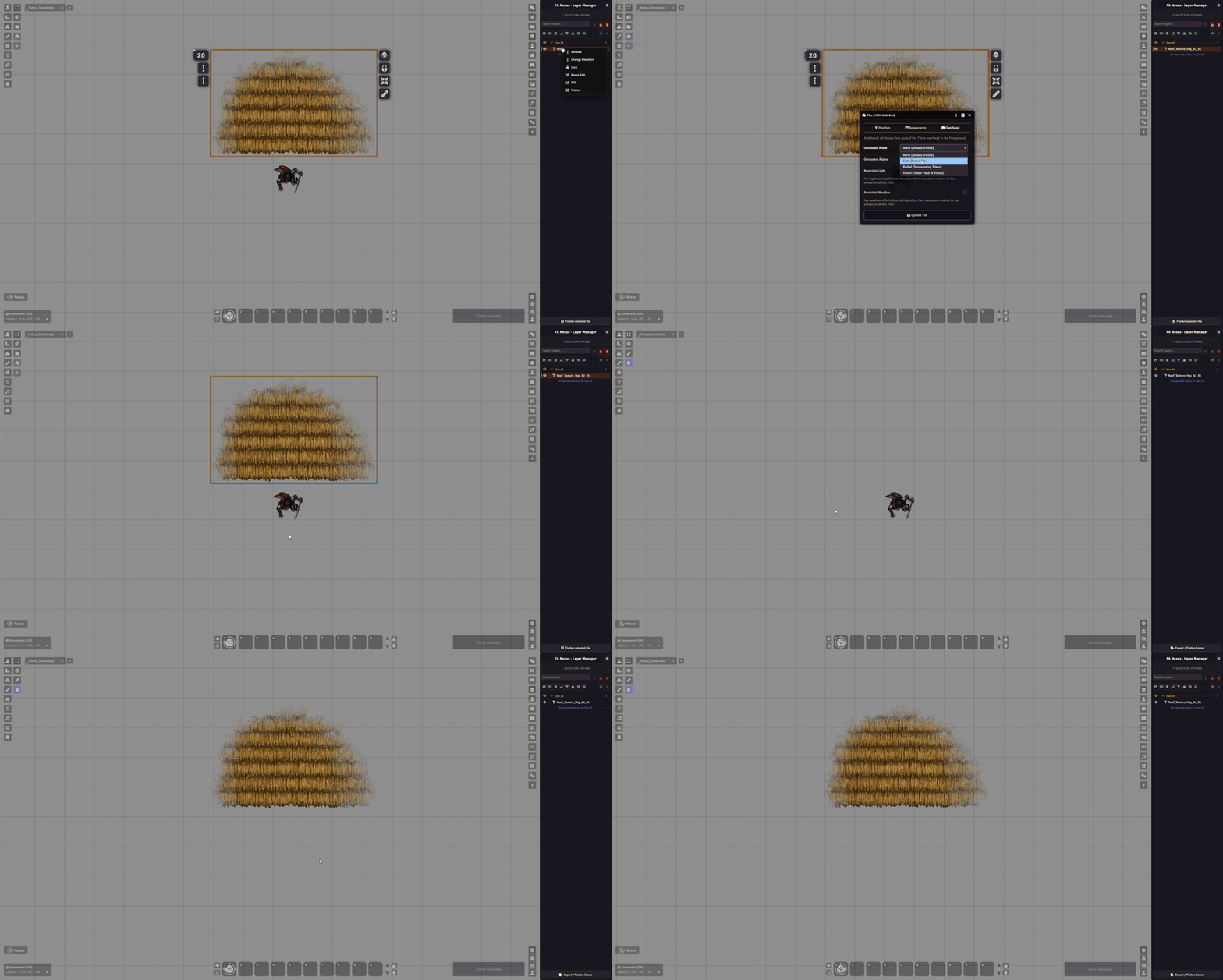
Nexus-rendered tiles can now participate in native overhead occlusion via a shared proxy pipeline (paths, masked textures, scatter, chunked flatten, overlays).
*Use carefully on heavy scenes since this can increase VRAM/GPU use.
Additional Improvements/changes
-
New world-level Shadow Quality setting (Low / Medium / High / Ultra)
-
Elevation controls upgraded with hotkeys + numeric input + finer step logic
-
Asset placement shadow offset max is now configurable (up to 512px) – was fixed at 40px
-
Building per-segment wall editing in Edit Shapes (including reset segment)
-
Path splitting in Edit Shapes mode (X on hovered point)
-
Scatter brush now previews ghost stamps + spacing markers live
-
Asset placement preview can auto-anchor to viewport center while adjusting panel controls
-
Building tool now shows cursor-side grid dimensions while drawing
-
Token actor type detection improvements for Place Token As -> Create New
-
Added detection support for Rolemaster Unified
-
Cloud catalog startup preload and safer local/cloud orchestration
-
Separate transform presets for single placement vs scatter
Fixes (notable)
v0.4 also includes a broad set of fixes across auth, cloud sync, editor stability, memory usage, rendering alignment, cleanup flows, and input handling. A few key ones:
-
Prevent stale premium entitlement responses from overwriting newer auth state
-
Stop token cloud failures from appearing as silent “empty success”
-
Fix race conditions in linked wall cleanup on tile deletion
-
Resolve rotated-shadow drift for building/path/scatter/generic tiles
-
Reduce texture editor memory pressure with alpha-region undo patches
-
Restore proper behavior after failed token drag previews
-
Fix duplicate click handler accumulation on reused asset cards
-
Improve layer interactivity refresh after editor sessions/locks
-
Fix numeric input resync/validation edge cases
-
macOS external mouse scale-wheel direction fix in asset placement
Feedback
v0.4 recoloring and layer manager updates reduce the friction of mapmaking even further, but please keep in mind that FA Nexus is still in Beta! We are constantly itterating and improving upon the features as well as bringing in new ones, all based on your feedback!
As usual, this update touches and modifies A LOT of things so bevare of any bugs that might pop out. Please do let us know here, on discord or better yet through Github Issues if anything behaves oddly or you have any workflow/improvement or feature requests!
There are more changes in this update than highlighted in this post,
Full more detailed changelog can be found here:
https://github.com/Forgotten-Adventures/FA-Nexus/blob/main/CHANGELOG.md
Hope yall enjoy the new update and have some fun with mapmaking!
You can update the module through foundry directly, or install it if you dont have it yet, just search for ‘FA Nexus’ in the module directory!
Should the Next Update have v14 support?
This update is still for Foundry v13 and does NOT have v14 support yet.
I know it usually takes some time for people to switch major Foundry versions because you are waiting for all your modules to ‘catch up’ and be compatible before pulling the trigger.
There are number of changes to systems FA Nexus interacts with that makes this particular transition not too trivial, so supporting both versions is not going tobe feasible, so I would like to know if you plan on sticking to v13 for a while or switching to v14 asap, so we can make a more informed decisio.
Should the next update (maybe month or so timeframe) focus on v14 compatibility or stick with v13 for now? Please let us know in the poll: https://strawpoll.com/BDyNz0DMWyR